


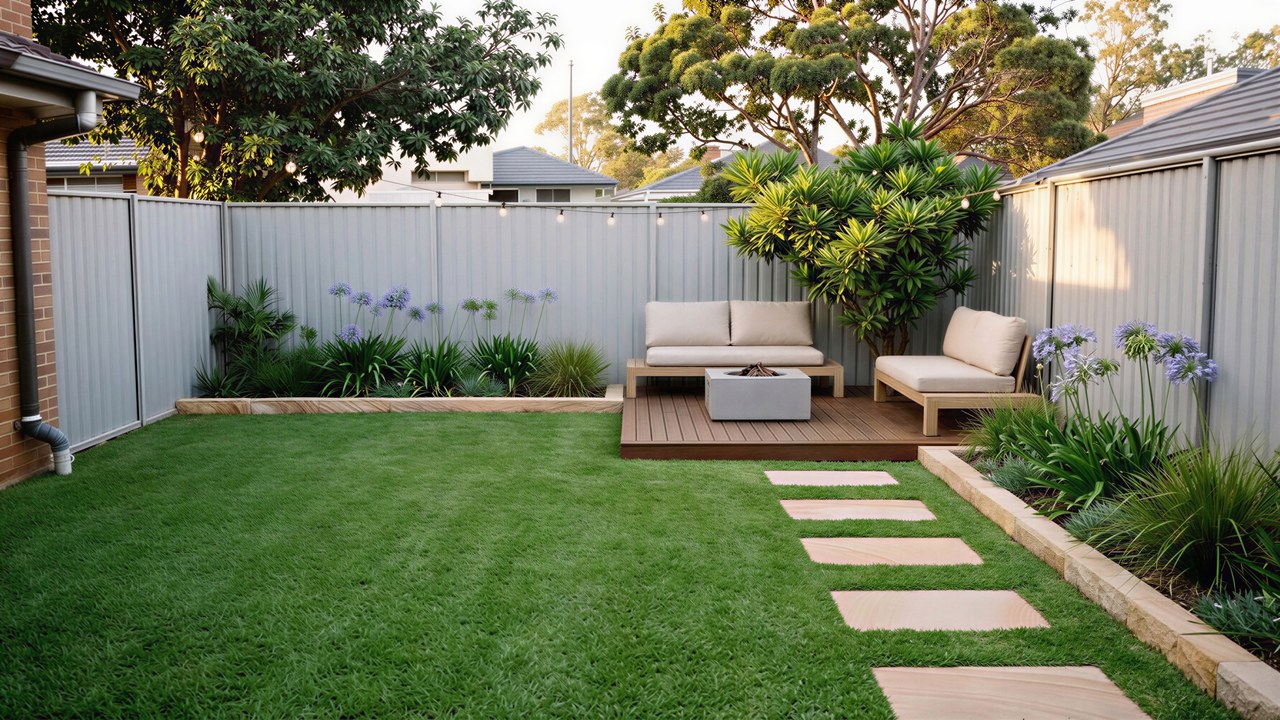
A real Sydney backyard assembles component by component, each element appearing in its own place: the bare yard, then fresh turf rolling across the lawn, garden beds with sandstone edging dug in along the fence and house, native planting popping in bed by bed, the established planting and a feature tree rising in the corner, a sandstone path laid stone by stone across the lawn with a timber bench, and finally the dusk relight with festoon string lighting fading on overhead. The same fence, house and camera are kept throughout. The live cost estimate resolves to a Sydney band of $18,400-$24,000, with turf and 9 native species, a sandstone path and beds, and festoon lighting. This is a baked demo; the real tool renders your own photo at the design tool.
You just watched a stranger's backyard get built. Now watch it happen to yours.
One real Sydney yard. Three hands that build it, quote it, and keep it alive.
Start your project, freeHer real yard. Not a fantasy.


Different houses, different fences. Every render keeps the real boundaries of that yard, and ships with a live Sydney range and a design PDF. You always recognise the real place, never someone else's garden.


From a photo to real quotes, in one place.
Five steps, all from your phone. No calling around, no chasing tradies who never show up.
Pick what you need
A full redesign, or a quick hedge trim, choose the job and we match the right pros.
Photos plus your words
Snap the space and describe it however you like. We turn it into a clean, professional brief.
See it and price it
For design jobs, get an AI render of the result and a live Sydney cost range.
Choose your pros
Browse local Sydney gardeners and landscapers, see their real work and service area, then send your brief only to the ones you like.
Compare and book
They reply with a real quote or hourly rate. You compare, message, and book the winner.
For the trade, this is where her scoped brief lands
You pick the pros. They come to you.
Two ways to get it done.
Designing a whole garden, or just need the lawn mowed? Both start the same way, pick yours.
Reimagine your outdoor space
Big projects where you want to see the result and know the cost before committing. We render your space and estimate the build, then connect you with landscape designers and build crews.
Get the regular work done
No render needed, just photos and a few words. Send it to local gardeners and get a price or hourly rate back, often the same day.
The render she makes is the brief a local pro wants.
Her project lands in Lucas's inbox as a scoped brief. Same photos, same render, same yard. Nothing retyped.
This half of the marketplace is built for you.
Win the job by showing it.
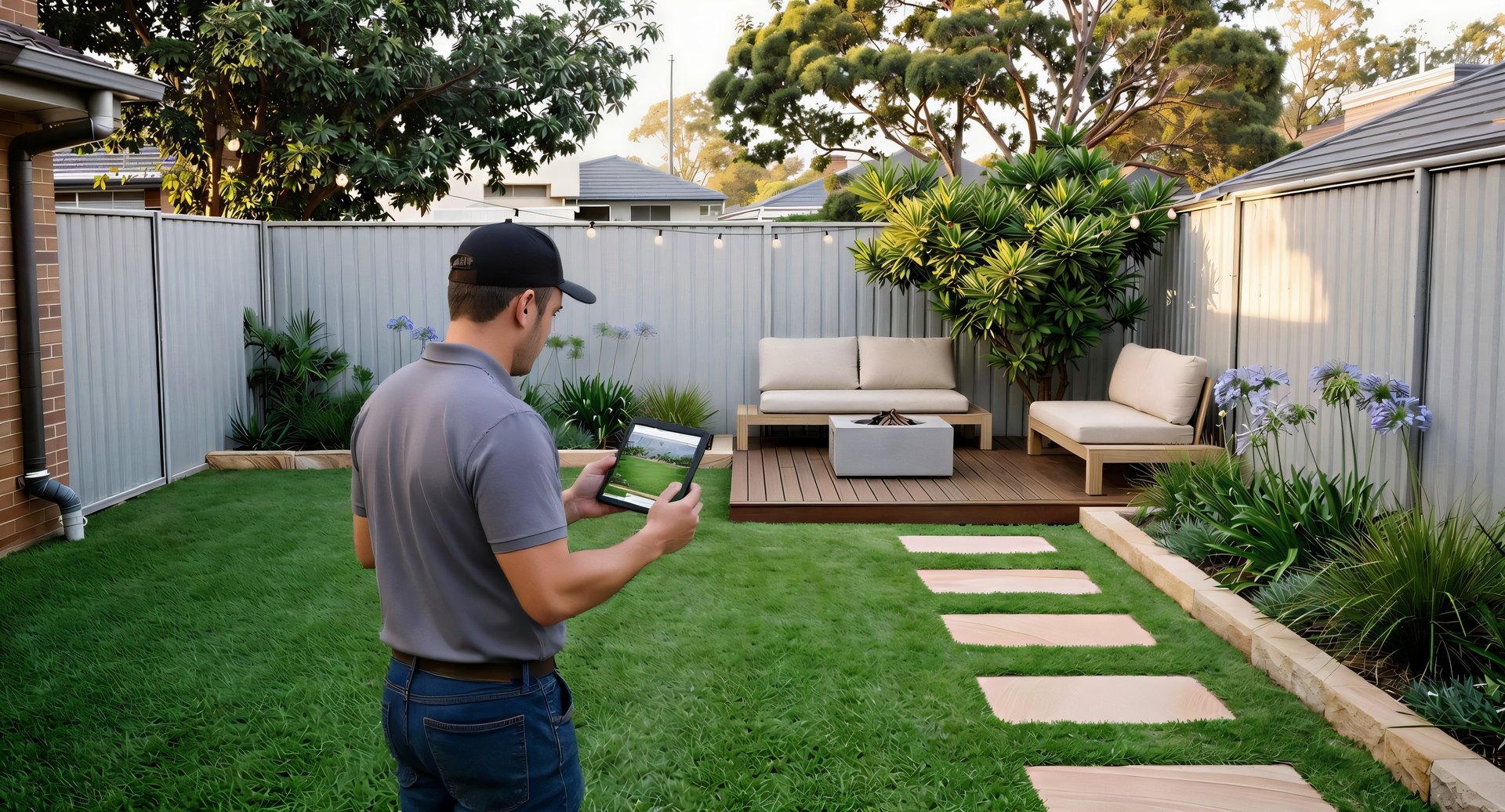
Lucas drives to 14 Wattle St, renders her actual yard on the spot, and hands over a proposal stamped with his own logo before he leaves the driveway. List your business once, and we send you photo'd, described, ready-to-quote jobs from homeowners near you. No more driving out to look at work that goes nowhere.
- Qualified, scoped briefs, not raw leads. Every request has photos, a clear brief, and often a render.
- Not a bidding war, no per-lead fees, no commission. Quote in two taps and send it back.
- You choose the work, see the job before you reply; ignore what's not for you.
- Local to you, jobs filtered to your service area across Sydney. Free during the test phase (vetted Sydney pros, ABN + insurance).
Your yard, redesigned
A quick job, scoped and quoted by tonight.
Not every yard needs a redesign. Sometimes it just needs keeping alive, and that routes straight to the gardeners near you.

Lawn mow and hedge trim, this Saturday?
Quick job · 14 Wattle St · no render needed

Booked.
From tap to booked, same day.
Everything this yard needed, and every yard like it
12 services · one briefWhatever the yard needs, covered.
Big build or quick tidy, every job routes to Sydney pros who do exactly that work.

Landscape design
A full redesign of your space, rendered and costed before you commit.

Turf & lawn
Fresh turf or a re-level, a lawn that actually survives a Sydney summer.

Paving & pathways
Sandstone, pavers or stepping paths that tie the yard together.

Decking
Spotted-gum or composite decks built to entertain on.

Fencing & screening
Privacy fences and screening hedges that block the neighbours, not the light.

Retaining walls
Hold a slope and carve out flat, usable garden on a sloped block.

Pool surrounds
Coping, paving and planting that finish the pool area off properly.

Outdoor lighting
Festoon, path and garden lighting so the yard works after dark.

Irrigation
Drip and pop-up systems that water the garden so you don't have to.

Planting & garden beds
Native, cottage or tropical beds matched to your aspect and soil.

Garden maintenance
Mowing, hedging and tidy-ups, the regular work, on a schedule.

Concrete works
Driveways, slabs and footings, the hard base everything else sits on.
Every service comes with a real 2026 Sydney price guide.
Unlimited access while we build the marketplace.
Right now Landscaping Outlook is free for everyone, homeowners and landscapers alike. Any Sydney landscaper can apply to list (we review your ABN + licence before you go live). No card, no pricing tier, it's completely free while we get the marketplace going.
If you're a homeowner
Free to design, price and ask. Forever, for what you do today: design your yard, send the brief to the landscapers you pick, compare quotes. You only pay the landscaper you choose to hire; the work itself is between you and them.
If you're a landscaper
Free while we're in test. Vetted Sydney pros only (ABN + insurance), apply in a couple of minutes. No per-lead fees, no commission, no card while we build the marketplace.
Questions, answered.
Is it free to get quotes?
Yes. Describing your job, rendering it, and sending it to local Sydney pros is free, you only ever pay the landscaper you choose to hire. There's no charge to ask, and no obligation to book.
How do I choose who gets my job?
After you build your request, you browse local Sydney gardeners and landscapers, with their work, ratings and service area, and send it to the ones you like. They come back with a real quote or hourly rate, and you compare. You stay in control of who sees your job.
What if my job is small, like a lawn mow?
That's the "Quick jobs" path. No render needed, just snap a couple of photos, say what you want, and send it to local gardeners for a fast price. Most reply the same day with their rate.
How does the AI render work?
For design jobs, upload a photo of your actual yard. We use Flux Kontext, which keeps the real camera angle, fences, buildings and boundaries while redesigning the plants, paving and movable features, so you recognise your own space. You also get a live cost estimate.
I'm a landscaper, how do I get on?
Any Sydney landscaping business can apply, free. Read the landscaper pitch here and apply in a couple of minutes, we review your ABN + licence before your profile goes live. (Got an invite code? You can use that too.) Free to list, free to receive briefs.
Is my photo and contact info private?
Yes. Uploaded photos go to the AI model only for generation and aren't stored beyond your account. Landscapers see your project brief and photos in their inbox, but never your full contact details until they formally accept your project.
Cut. Your real yard. Not a fantasy.
Stop imagining it. Build it.
Describe your job, see it priced, and let local pros come to you. Free to start, no card, no lock-in.